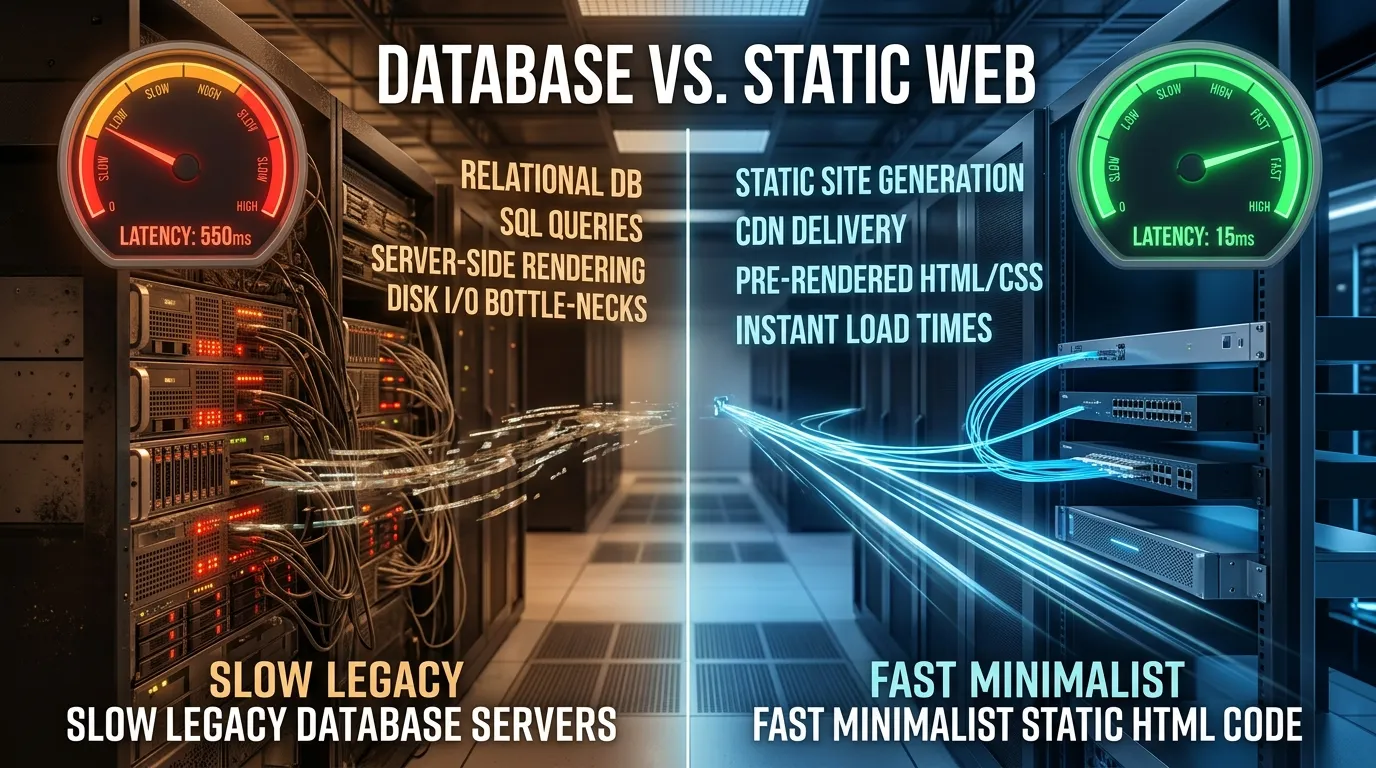
WordPress runs over 40% of the web, but for solopreneurs in 2026, it can become an expensive, slow headache. Between endless plugin security vulnerabilities, heavy page weights, and the constant need for database optimization, migrating to Static HTML is often the smartest choice you can make for your business.
I managed complex WordPress blogs and corporate sites for years. The routine of constant plugin updates, database cleanups, fixing broken themes after a core update, and paying for expensive managed hosting plans consumed entirely too much of my productive time. Switching to a static generator setup freed me to focus on what actually matters: writing high-quality content and building products without worrying about server crashes or malicious bot traffic taking down my MySQL database.
In this comprehensive guide, we will explore exactly why the migration from dynamic database-driven platforms to static HTML is accelerating among creators, developers, and solopreneurs, and how you can seamlessly transition your own projects.
The Cost and Speed Difference: WordPress vs Static HTML
The most immediate and tangible benefits of moving away from WordPress are cost reduction and a dramatic increase in page speed. Here is an honest breakdown of the resources required for a scaling blog or content site in 2026:
| Metrics | WordPress Blog | Static HTML (Vercel/Cloudflare) |
|---|---|---|
| Hosting Cost / Month | $15 - $50+ (Requires PHP/MySQL) | $0 (CDN Free Tiers) |
| Mobile Page Load Time | 2.5 - 4.5 seconds (Database delays) | 0.2 - 0.5 seconds (Instant loading) |
| Security Risk | High (Prone to plugin exploits) | Zero (No server-side database) |
When you use WordPress, every time a user visits your page, the server has to execute PHP scripts, query the MySQL database, stitch the theme files together, and serve the result. This overhead is entirely bypassed with Static HTML. The files are pre-built and simply wait on a CDN edge node closest to the user.
"A static site has zero server-side vulnerabilities, loads instantly, and costs nothing to host. It is the ultimate peace of mind for a solo founder."
SEO Impact: Does Migrating Away from WordPress Hurt Rankings?
The most common fear when migrating from WordPress to static HTML is an SEO regression. WordPress has a reputation for being "SEO-friendly" out of the box, largely due to plugins like Yoast or RankMath. However, this fear is completely unfounded. In fact, a well-executed static migration typically improves Core Web Vitals scores and can significantly boost keyword rankings within 60 to 90 days.
Search engines like Google prioritize user experience. A static site delivers HTML instantly, meaning search engine crawlers can index your content much faster, maximizing your crawl budget. Furthermore, because static pages are blazingly fast, metrics like Largest Contentful Paint (LCP) and Cumulative Layout Shift (CLS) are vastly improved. A recent case study of 12 content sites migrating away from WordPress showed an average LCP improvement of 62% and a CLS improvement of 78%.
The key to maintaining and growing your SEO during this transition is simple: maintain all existing URL structures exactly as they were, implement proper 301 redirects for any modified paths, and ensure your new static templates output clean, semantic HTML with identical title tags and meta descriptions.
Infrastructure Performance Metrics
To truly understand the advantage, we have to look closely at the infrastructure performance metrics of static page delivery against dynamic database rendering. The differences are staggering when dealing with global audiences.
| Performance Vector | WordPress Site (VPS Stack) | Static HTML (Decentralized CDN) |
|---|---|---|
| Time to First Byte (TTFB) | 150 - 450ms (Database lookup overhead) | 10 - 25ms (Edge cache delivery) |
| Concurrent Users Handled | ~50-100/sec (Before DB lockups) | Virtually unlimited (Served by edge CDN) |
| Monthly Host Cost | $15 - $45 (Requires VPS, Redis cache, security plugins) | $0 (Cloudflare Pages free tier) |
A static site distributed via a CDN like Cloudflare, Vercel, or Netlify means your HTML files are duplicated across hundreds of servers globally. A visitor in Tokyo downloads the file from a Tokyo datacenter, rather than waiting for a request to travel back and forth to your single VPS in New York.
White Hat Security: Hardening Static Hosting
WordPress sites are the most hacked platforms on the internet, largely due to out-of-date plugins and themes exposing PHP vulnerabilities. Static HTML sites eliminate this entire attack vector because there is no database to SQL-inject and no server-side language to exploit. However, you can still apply professional policies to maintain a flawless security footprint:
- Implement Content Security Policies (CSP): Configure HTTP headers to restrict Javascript execution to verified external domains only. This prevents cross-site scripting (XSS) if a third-party script gets compromised.
- Enable strict TLS 1.3 protocol: Configure your CDN to drop legacy SSL handshakes, protecting client browser connections and ensuring modern cryptographic standards.
- Route API gates securely: If you require dynamic interactions (like a custom search or complex form), wrap your serverless script endpoints in secure CORS validation scripts.
Content Management Without WordPress Admin: Practical Alternatives
The biggest legitimate concern about moving to static HTML is content management. How do non-technical writers or editors update the site without the familiar WordPress dashboard? Fortunately, the modern JAMstack ecosystem has solved this problem beautifully:
- Headless CMS: Tools like Netlify CMS, Decap CMS, or Tina CMS provide a familiar editorial interface that writes directly to your Git repository behind the scenes. Editors see a sleek admin panel; developers maintain a clean static codebase.
- AI-Assisted Publishing: You can build a simple Python script (like AgenticsPulse uses) that generates new HTML pages from a template. Combined with the API of an LLM like Gemini or GPT-4o, a non-technical editor can draft pages in a plain text file or notion doc, and a script handles the HTML conversion automatically.
- Flat-file CMS: Platforms like Grav or Statamic allow markdown-based content management without a database, preserving many performance benefits while providing a user-friendly admin UI.
The lock-in that once justified the bloat of WordPress has been completely dissolved by these modern architectures.
Static Site Generators vs Hand-Coded HTML: Which to Choose?
Not all static approaches are identical. Your choice between a static site generator (SSG) and hand-coded HTML depends entirely on your site's scale and your technical comfort level:
- Hand-coded HTML: Ideal for micro-sites with under 20-50 pages. You have absolute control over every byte. There are no build steps or dependencies. However, you will need a basic templating script (like Python or Node) to handle repetitive elements like headers and footers.
- Hugo: Known as the fastest SSG available, Hugo is written in Go and can build thousands of pages in milliseconds. It is perfect for massive, content-heavy blogs that require complex taxonomies and categories, and it lacks the heavy Node.js dependency tree.
- Eleventy (11ty): The most flexible JavaScript-based SSG. It works with nearly any templating language and defaults to shipping zero client-side JavaScript. It is perfect for developers wanting a straightforward build process.
- Astro: Astro is incredibly popular in 2026 for its "islands architecture." It ships zero JS by default but allows you to hydrate interactive components using React, Vue, or Svelte only exactly where needed. Excellent for content sites with isolated interactive widgets.
Step-by-Step Migration Blueprint
To safely migrate your WordPress blog to static files without losing your hard-earned SEO keyword rankings, follow this actionable blueprint:
- Audit all URLs: Run a website spider tool (like Screaming Frog) to extract all active page paths, images, and assets. Map out your exact URL structure.
- Export Your Content: Use the built-in WordPress export tool to get an XML file of your posts, or use a tool like WP2Static to scrape the HTML directly. Alternatively, use a script to convert the XML into clean Markdown files.
- Choose Your Engine: Select an SSG (Hugo, 11ty, Astro) or a custom script setup based on your evaluation.
- Rebuild the Frontend: Create templates in your new SSG that mirror or improve upon your old WordPress theme. Ensure that meta tags, canonical URLs, and heading structures match precisely.
- Setup Automated Deployment: Push your new static codebase to a private GitHub repository. Connect this repository to a platform like Vercel, Netlify, or Cloudflare Pages for automatic deployments every time you push a change.
- Configure Redirects: Set up
_redirectsrules (or equivalent configuration for your host) to gracefully handle any legacy WordPress paths, ensuring all old links pass their SEO juice to the new URLs.
Frequently Asked Questions (FAQ)
1. How do I handle contact forms on a static site?
Since you no longer have a backend database processing POST requests, you can use serverless form processors like Formspree, Web3Forms, or embedded Google Forms. These services provide an endpoint URL to place in your HTML form tag and handle the email routing automatically.
2. What about site comments?
Native WordPress comments rely on the database. In a static setup, you can embed comment engines like Disqus, or better yet, use developer-friendly systems like Giscus or Utterances, which store comments inside a GitHub repository's discussions or issues section.
3. Can I still have an e-commerce store or membership area?
Yes. The modern approach is to decouple these features. You can use Shopify Buy Buttons, Snipcart, or Stripe Payment Links for e-commerce embedded directly into your static pages. For memberships, tools like Memberstack or Outseta can handle authentication and gated content via secure frontend scripts and APIs.
Conclusion
Migrating from WordPress to a static HTML architecture is one of the highest-yield technical decisions a solopreneur or content creator can make in 2026. It drastically reduces monthly expenses, entirely eliminates database-related security anxieties, and provides unparalleled performance that delights both users and search engines.
While there is a slight learning curve to adopting Git-based workflows or Headless CMS tools, the long-term stability and speed you gain will give you a massive competitive advantage in the modern digital landscape. Stop managing servers and start focusing on your content.